
Business Dashboard
Turn M-Files metadata into instant, actionable intelligence right inside your daily workflow.
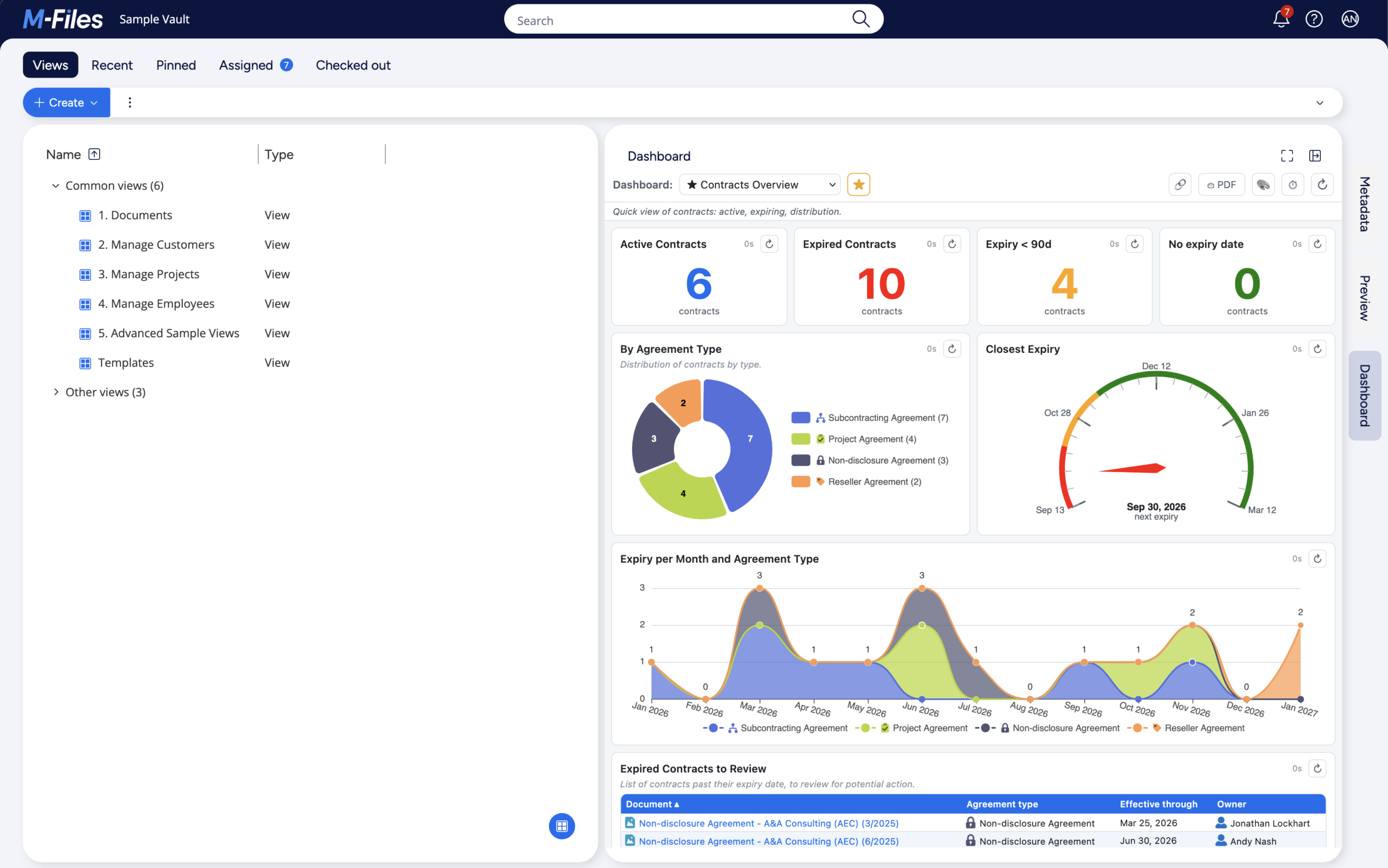
Business Dashboard embeds a fully configurable analytics pane directly into M-Files alongside Metadata and Preview. That way, you can create live dashboards for any object type without code or separate BI tools. End users get an instant, always up-to-date visual view of their vault data, with one-click drill-through to the underlying M-Files objects.
Product Description
Stop exporting data. Start seeing the story your metadata is telling you.
Business Dashboard brings analytics directly into M-Files as a third pane alongside Metadata and Preview, turning your vault data into live, interactive dashboards without requiring separate BI tools or custom development.
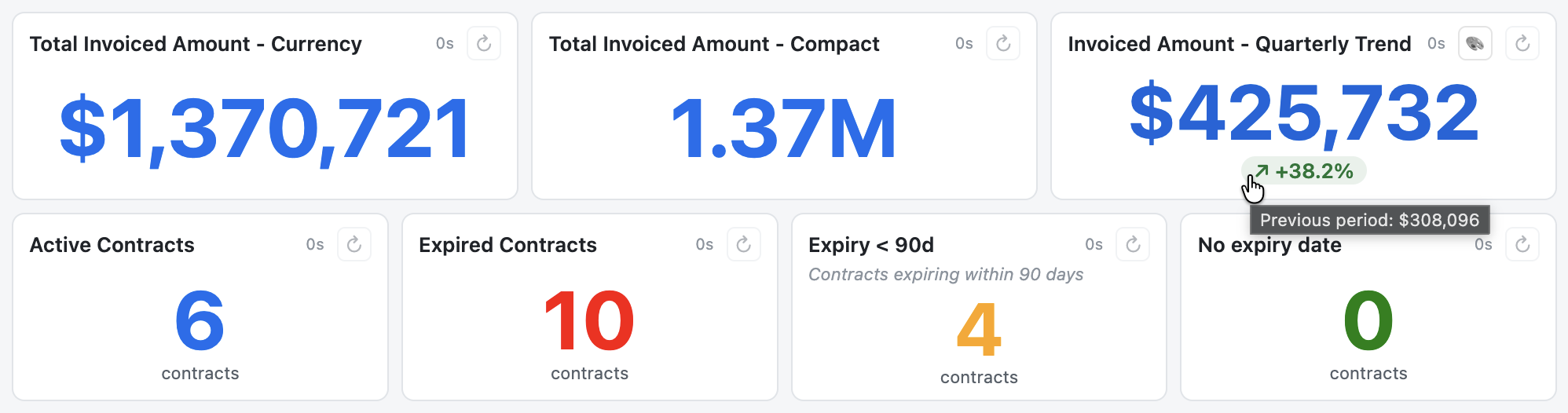
The pane provides answers to questions such as:
- How many open purchase invoices do we have?
- What’s the breakdown of contracts by type?
- How many documents expire this month?
- Which employees sit in which department?
Everything is pulled live from M-Files, so there’s nothing extra to install or maintain: the panel refreshes automatically or on demand, and what you see is governed by your M-Files administrator.
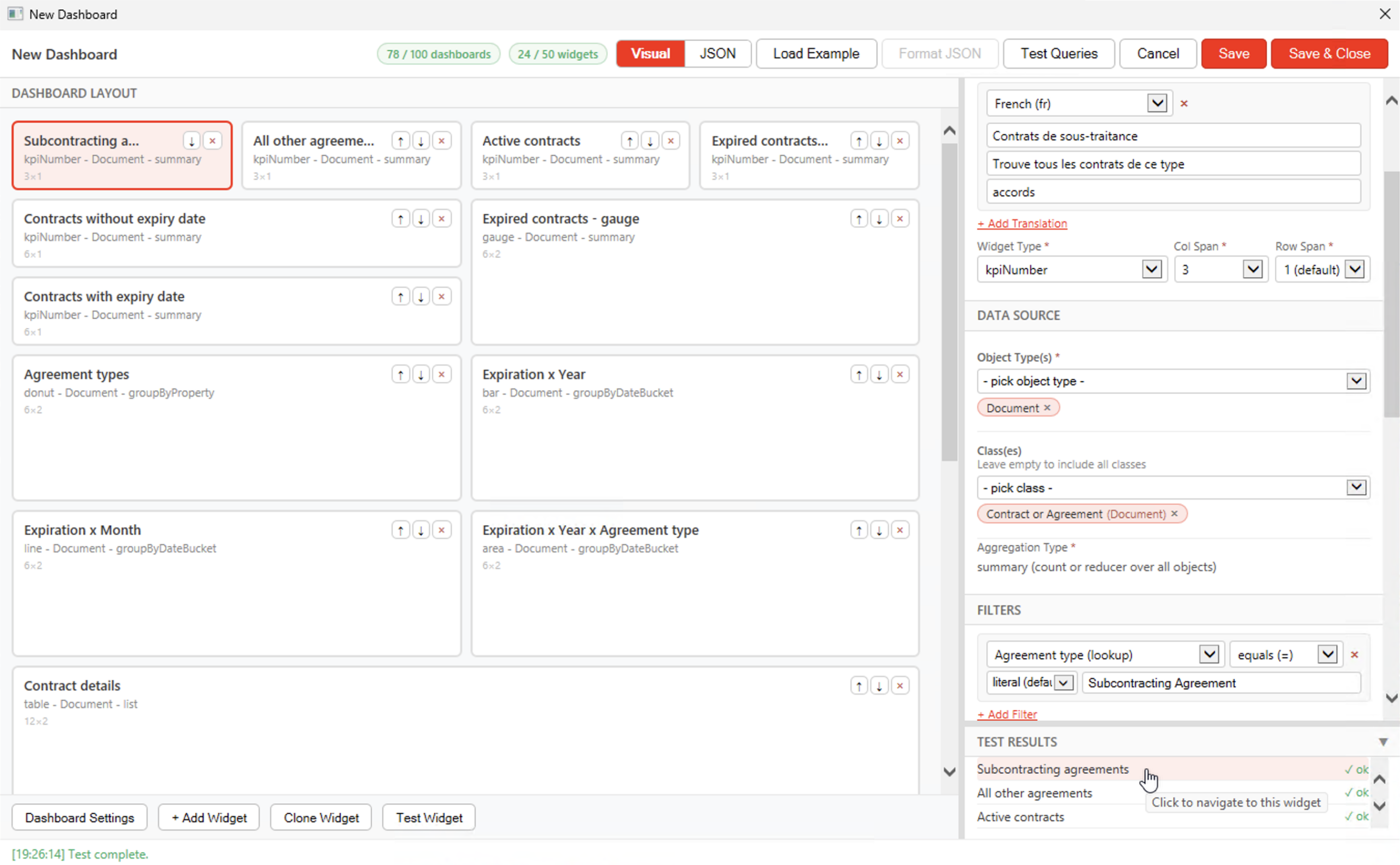
For administrators: The intuitive Visual Designer makes dashboard creation simple and requires no coding or JSON expertise. You can build dashboards for any object type, choosing from KPI, table, and a range of chart widgets, while applying flexible filters and setting granular user or group access, all of which fully respect M-Files permissions.
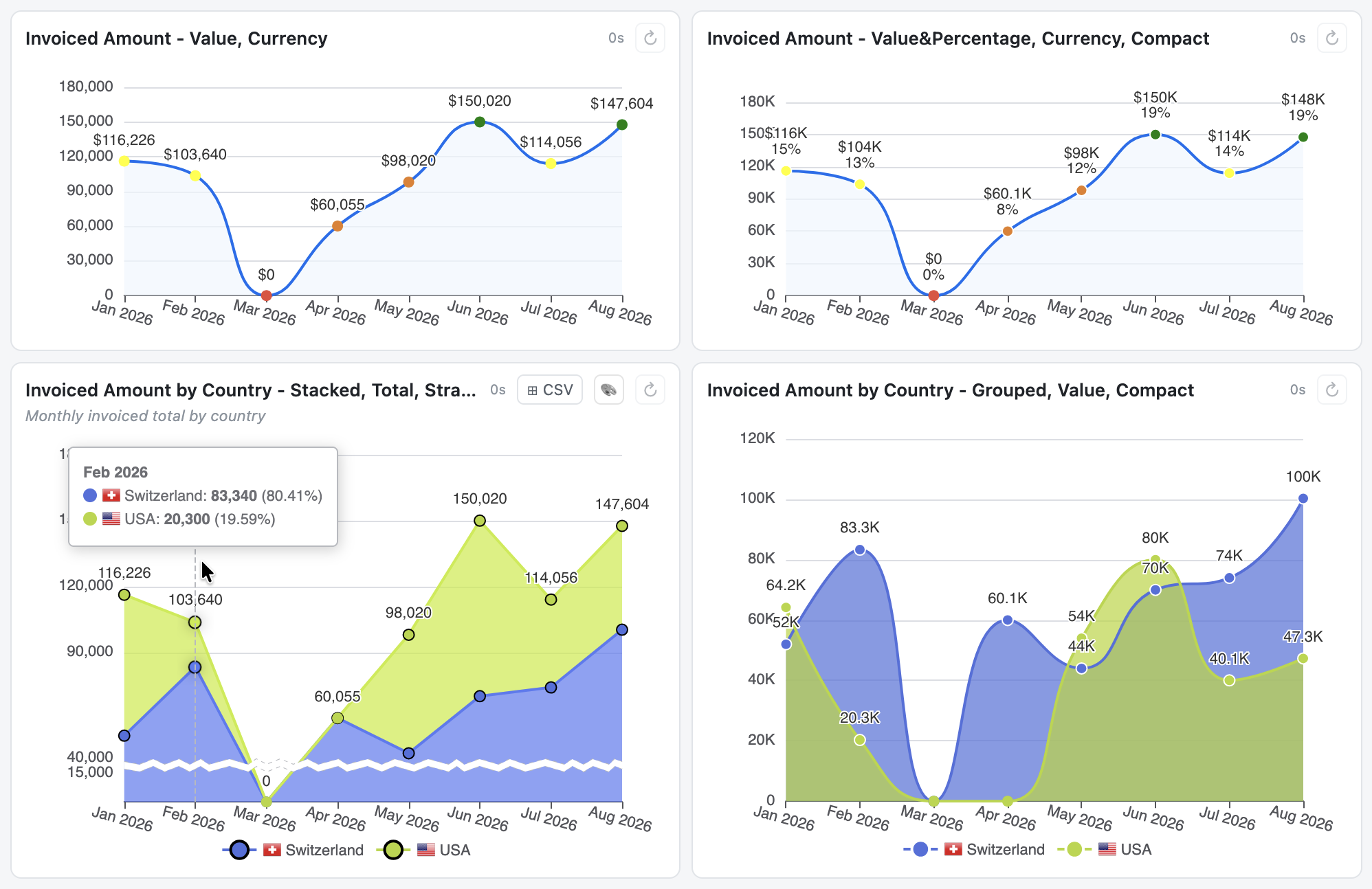
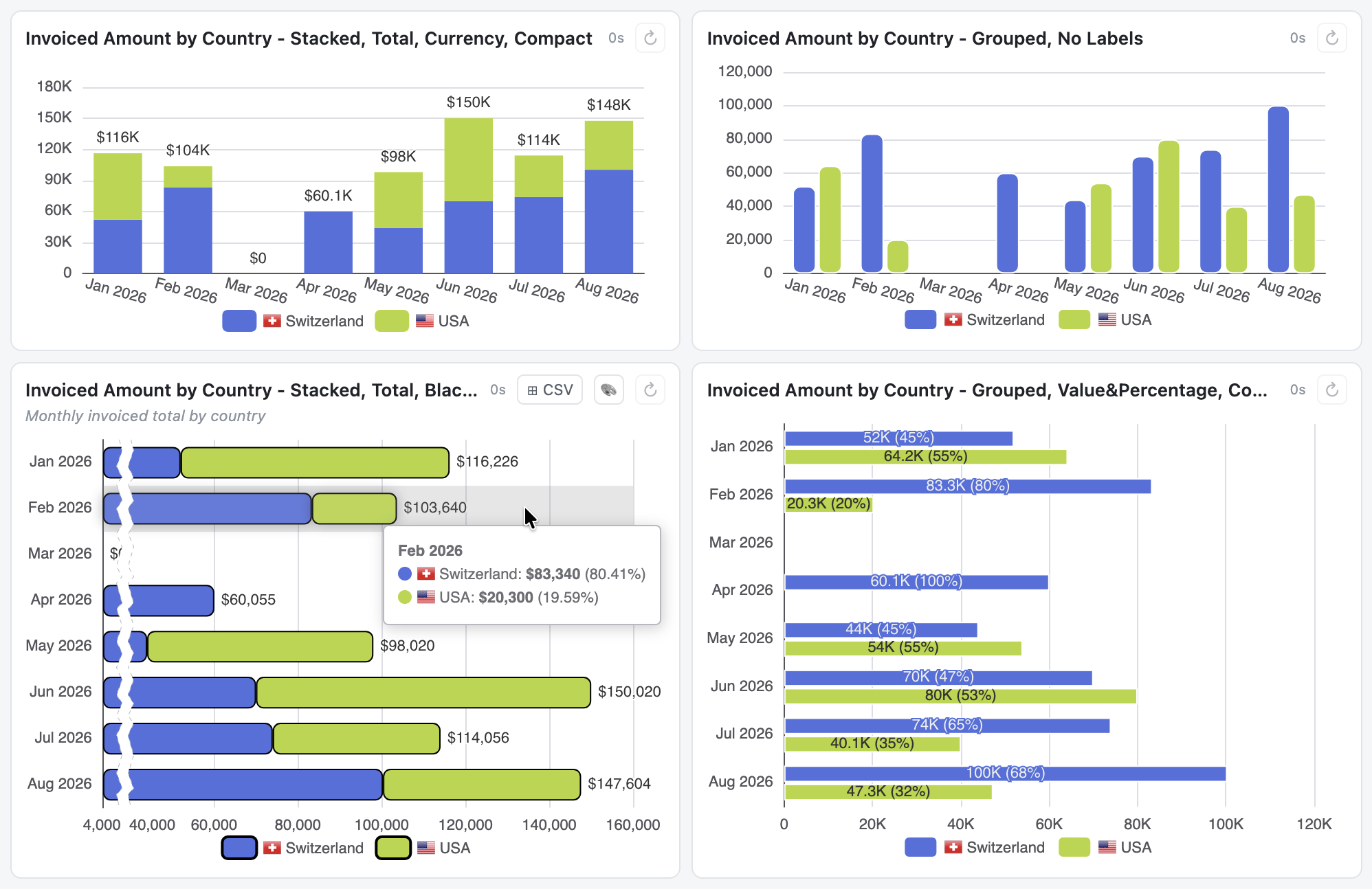
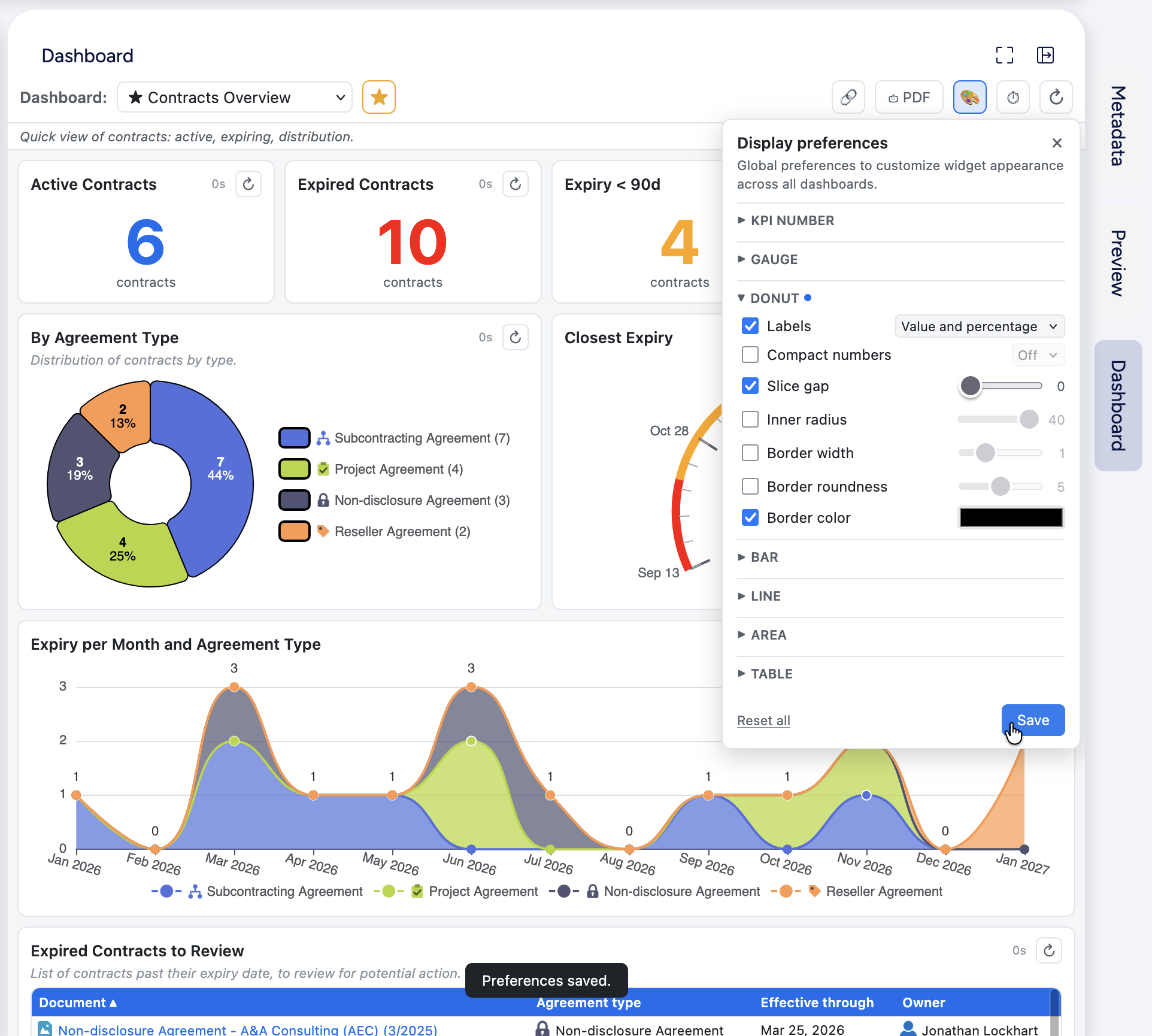
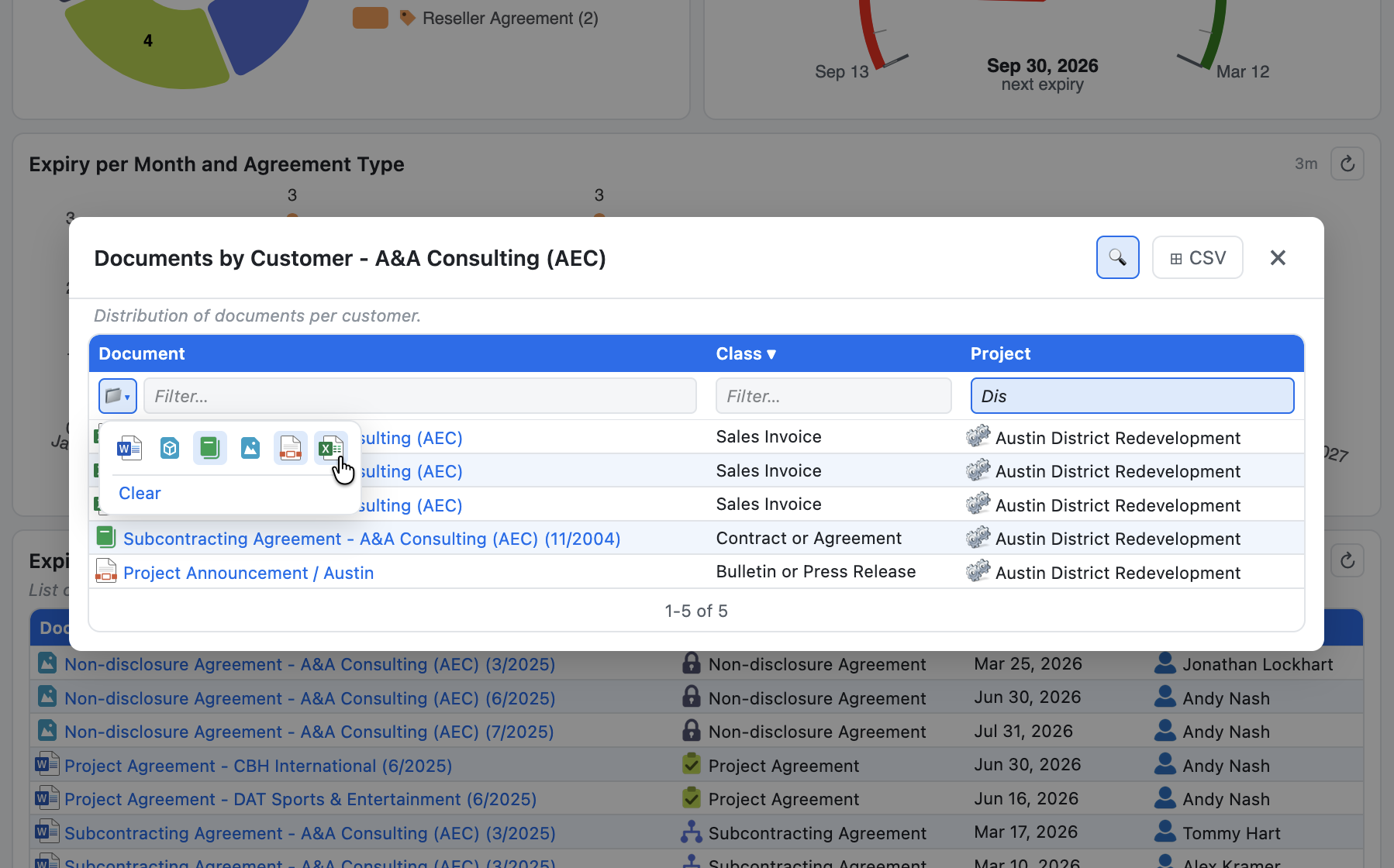
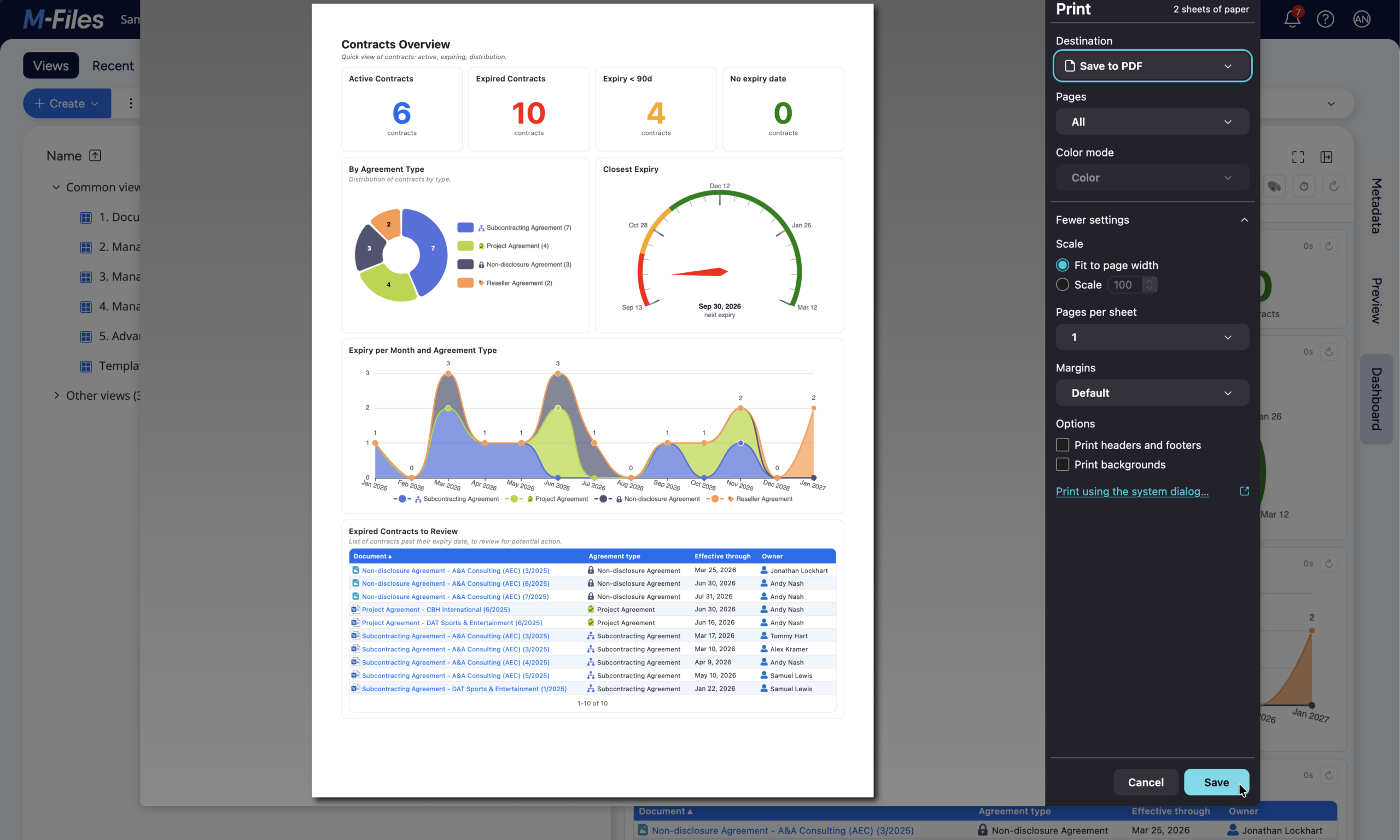
For end users: Every dashboard is interactive, allowing users to drill through chart elements to investigate underlying objects or navigate directly to them for deeper inspection in Metadata and Preview. Dashboards refresh automatically to keep information current, and users can export results to CSV or PDF, save favorites, or share dashboards with colleagues in a single click. End users can also customize the visual appearance of their dashboards to suit their preferences.
The result is real-time answers to the questions you ask every week, without leaving M-Files and without writing a single line of code.
Documentation and Additional Information
| Download Link | Description |
| User Guide | User Guide |
| Administrator Guide | Administrator Guide |
| Authoring Guide | Authoring Guide |
Licensing and Downloads
| Licence Type | Purchase Required - Contact Publisher for Licensing Information |
Contact Information
| Website | https://www.dbi-services.com/ |
Sales and More Information
| Contact Name | Pierre-Yves Bréhier |
| Email Address | pierre-yves.brehier@dbi-services.com |
| Phone | +41 79 198 74 11 |
Technical Support
| Support Email | morgan.patou@dbi-services.com |
| Support Site | https://www.dbi-services.com/ |
| Support Phone | +41 79 137 50 84 |
Product Specifications
| Supported Environments |
|
|
Customer Environment: M-Files Standard Cloud: M-Files Isolated Cloud: |
Yes Yes Yes |
| Supported Languages | English, French, German, Italian, Spanish, Portuguese, Chinese, Hindi, Arabic, Dutch, Polish, Russian, Japanese, Korean, Finnish, Swedish, Ukrainian, Turkish, Romanian |
| Regional Availability | Australia & New Zealand, Asia Pacific & Japan, Central & Eastern Europe, India, Middle East & Africa, Latin America, United States & Canada, Western Europe |
Screenshots