
M-Files Aino Metadata Agent
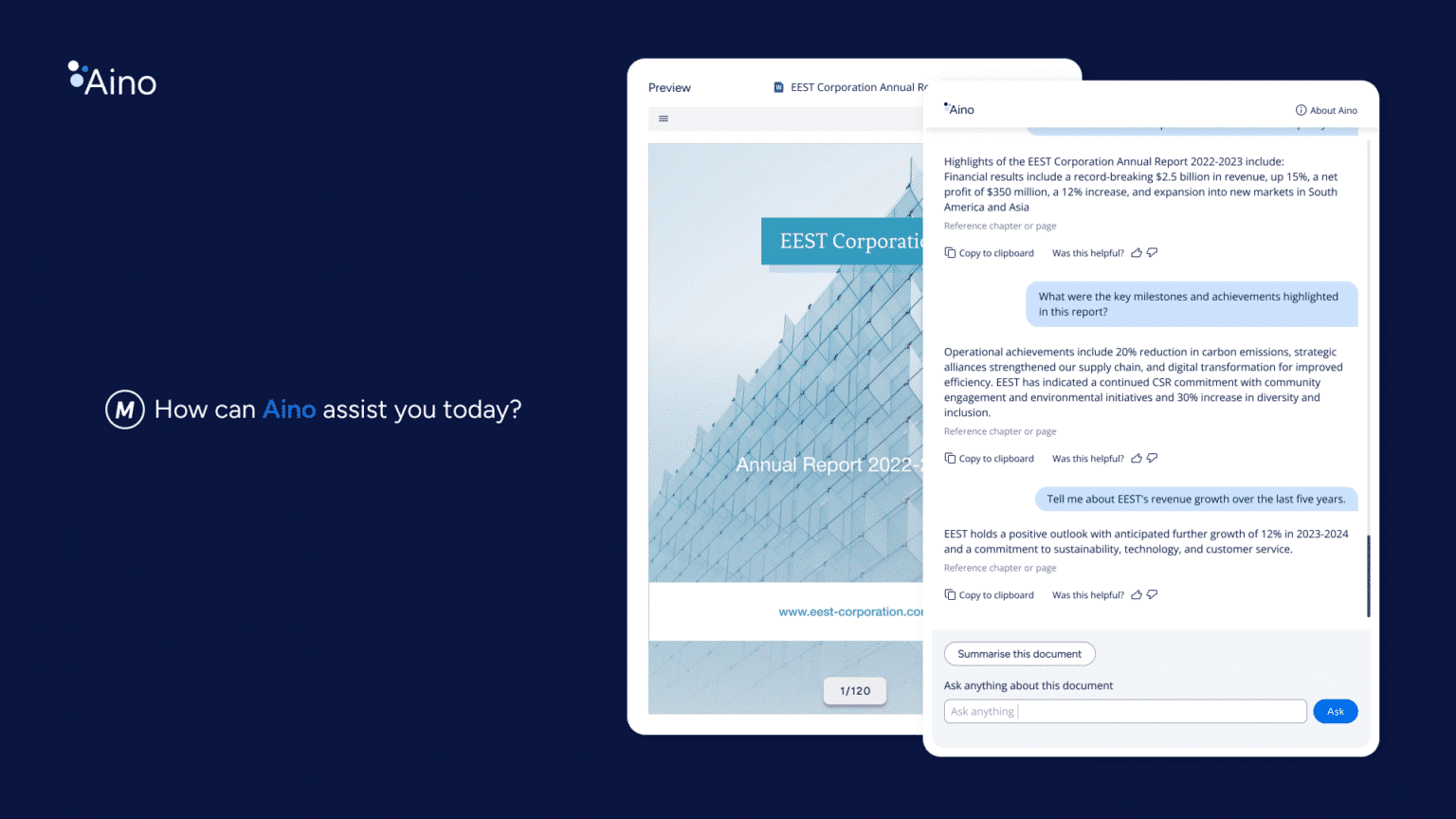
The M-Files Aino Metadata Agent is an agentic AI capability that extracts and/or constructs metadata based on your documents. When saving information to M-Files, the M-Files Aino Metadata Agent takes care of classifying and organizing the information. When saving a document, one click is all that is needed
Product Description
M-Files Aino Metadata Agent is an agentic AI capability that extracts and/or constructs metadata based on your documents. Like chats with Aino, Aino Metadata uses Large Language Models (LLMs) to understand the content of the document. With this understanding, it can extract and/or construct the information you need.
M-Files automates manual work and frees employees to focus on higher value activities. When saving information to M-Files, M-Files Aino takes care of classifying and organizing the information. When saving a document, one click is all that is needed
- With the help of Aino, customers can extract valuable insights from the documents and save them for later use. Aino can perform “human like” deduction going far beyond simple metadata extraction
- Accurate metadata driven by M-Files Aino will also help applying permissions and trigger related business processes or compliance activities.
Compared to other metadata extraction tools:
- Aino provides better results by leveraging LLMs and natural language prompts
- Aino can do more complex deductions, enabling more powerful analysis of document content
- Aino does not require training, it works out of the box.
- Adding automation for new metadata properties is very easy
Aino Metadata Agent at Scale is an agentic, context-first AI capability that runs in the background to find the right documents, automatically apply metadata at scale, and clearly show which values were set by AI, giving customers automation, transparency, and human control in one package.
With Aino Metadata Agent at Scale
- Admins configure criteria to find batches of documents.
- Aino runs as a background process, automatically populating metadata.
- System tracks which property values were automatically set by Aino for AI transparency.
- Human-in-the-loop validation when needed through custom views.
- Designed for continuous improvement in performance, configurability, accuracy, and functionality.
Core use cases for Aino Metadata Agent at Scale
- Large migrations(managed objects): When importing big volumes of content into M-Files, configure Aino to automatically populate metadata in the background on the migrated documents.
- Discovery projects: For discovery-style initiatives where you need better metadata across a subset of content, use batch processing to quickly enrich it.
- Bulk updates affecting many documents: When a change affects many documents at once, use Aino to apply metadata updates in the background, instead of manually touching each document.
- Human-in-the-loop quality control: Set review triggers so that AI-set metadata can be validated through workflows or views before being fully trusted in critical scenarios.
For more information about M-Files AI-driven automation: https://www.m-files.com/solutions/artificial-intelligence/
Documentation and Additional Information
| Download Link | Description |
| M-Files Aino - Getting Started | M-Files Aino installation guide |
| M-Files Aino - Administrator Guide | Learn how to manage M-Files Aino |
| M-Files Aino - FAQ | Additional information about M-Files Aino |
| M-Files Aino - Security and Data Protection Features | Learn about how M-Files Aino keeps your data safe |
| M-Files Aino - Webinar | M-Files in Action: Learn about the integral role Generative AI plays in knowledge work automation |
Notes about Language Support
M-Files Aino can understand documents and interact with users in most any language.
M-Files Aino’s user interface is available in all languages supported by each the desktop and web. For a complete list see the M-Files User Guide: Language Versions of the M-Files Software.
The administration interface for M-Files Aino is available in English only.
Licensing and Downloads
| Licence Type | Included with M-Files Business Subscription |
| Version | Description | M-Files Version Support |
| Product Center | M-Files Aino Metadata Agent |
Contact Information
| Website | https://www.m-files.com/ |
Sales and More Information
| Contact Name | M-Files Sales |
| Email Address | Contact Us - Worldwide Offices / M-Files |
| Phone | US: 1-972-516-4210 Finland: +358 3 3138 7500 |
Technical Support
| Support Email | Use Support Site details |
| Support Site | https://www.m-files.com/en/contact-support |
| Support Phone |
Product Specifications
| Supported Environments |
|
|
Customer Environment: M-Files Standard Cloud: M-Files Isolated Cloud: |
Yes Yes Yes |
| Supported Languages | See notes about language support under Documentation and Additional Information. |
| Regional Availability | Global |
Screenshots